A tender for an aggregation switch usually has one line about performance: "wire speed on all ports". Every vendor on the shortlist ticks it, and every tick is honest at 1518 bytes on a port pair. Real traffic looks different: 40 to 60% of packets under 128 bytes, 48 ports talking at once, servers that send in bursts, a MAC table that grows with every virtual machine. We test the switch or router in that traffic before the purchase order, and again before each firmware upgrade.
The bench
The device sits in the CloudLAB rack with 1G, 10G or 100G ports (400G and faster per project) cabled to the generator. A full mesh puts a generator port behind every switch port under test, 8 to 48 of them on one clock, so each frame is counted on both sides by its sequence number and timestamp. First the generator ports are looped through the same cables and optics: 100% of line rate at 64 bytes, zero loss, so any later loss belongs to the device.
The configuration is the one you will run: VLANs and Q-in-Q, the STP mode, LAG members, ACLs, QoS, the MAC aging time. Traffic comes from your NetFlow export or capture; without one we use the 7 RFC frame sizes from 64 to 1518 bytes, an IMIX and jumbo frames if your storage network runs them. Routers and EVPN fabrics run on the same bench, see routing and switching.
What we check
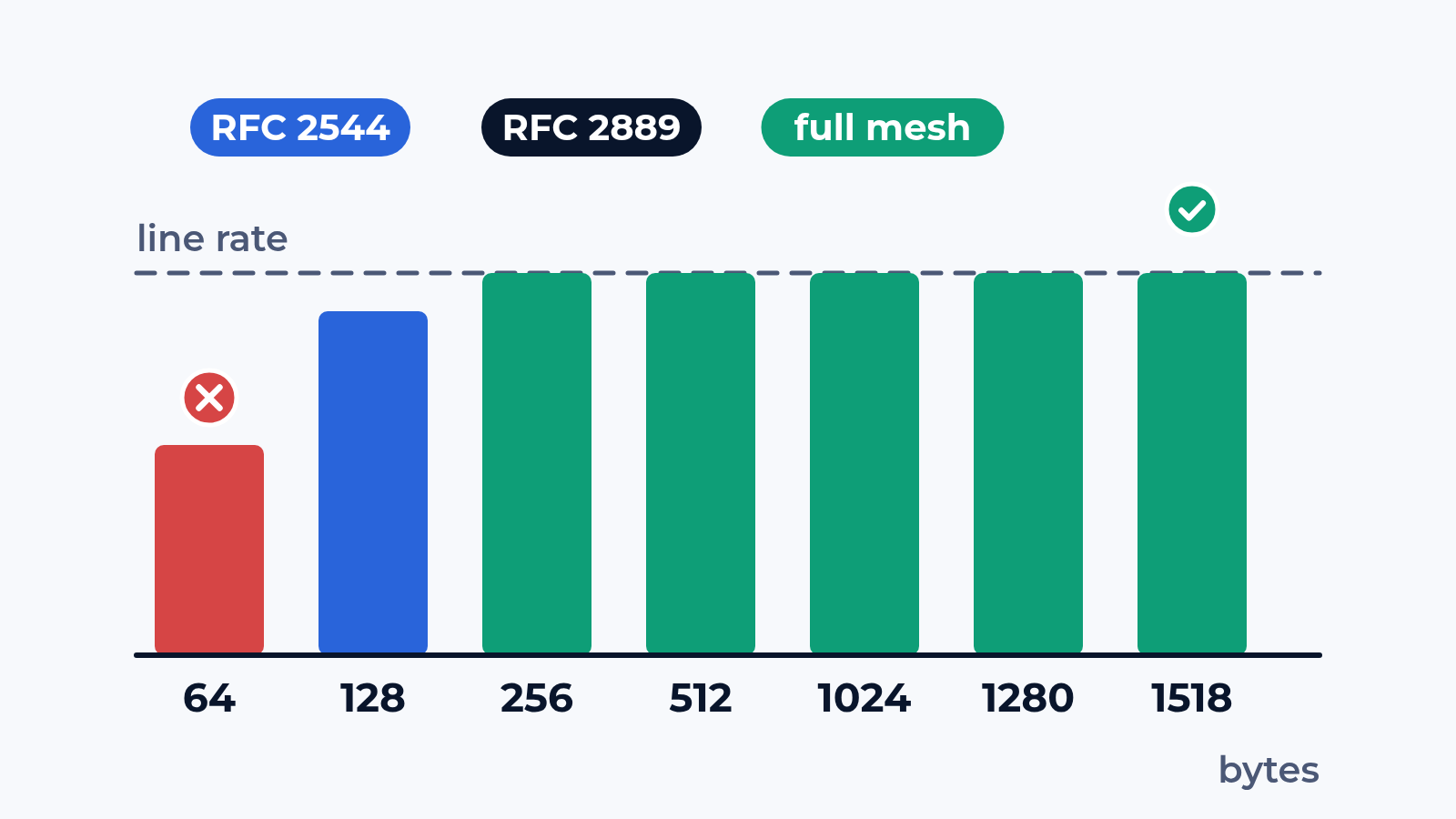
- Forwarding per frame size to RFC 2544: zero-loss throughput by binary search in 60-second trials, latency, frame loss rate from 100% load down, back-to-back bursts; one lost frame fails the step
- Full mesh to RFC 2889: every port sends to every other; throughput and forwarding rate against the theoretical line
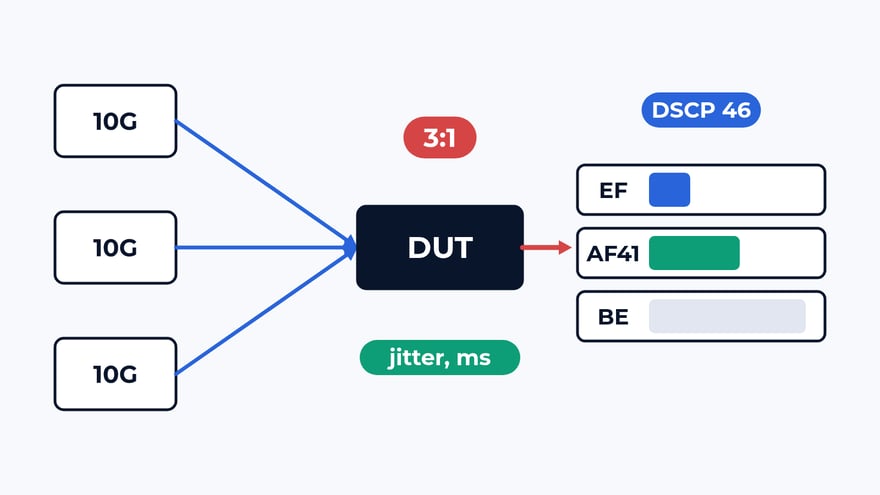
- Congestion: a 4-port block with 150% offered to one port; loss on the free port means head-of-line blocking, zero loss on the busy one means backpressure slowed your senders
- MAC table: capacity by binary search up to the first flooded frame, then the learning rate at that capacity; a "32K MACs" line in a datasheet can turn into 16,384
- Buffers and microbursts: many-to-one bursts of up to 930 frames, back-to-back burst length, latency with bursts in the mix
- Broadcast: forwarding rate and latency to every port, 1% broadcast inside the unicast run
- VLAN, LAG and STP: the spread across LAG members, a LAG member and the active STP path taken down under traffic, the loss window in milliseconds
- Firmware upgrade: the same items rerun on the new release, the change per KPI
What usually breaks
The 64-byte column. A typical shortlist: 2 aggregation routers, both "wire speed" in the datasheet. The first holds line rate down to 128 bytes and reaches 92% at 64. The second forwards 38% of line rate at 64 bytes. If 47% of the frames in your network are under 128 bytes, the cheaper box is 2.4 times slower from day one.
The fabric. A 48-port leaf with a vendor report of wire speed on a port pair forwards 71% of line rate in a 24-port full mesh at 64 bytes. The congestion block shows why: 9% loss on the port that had no congestion, head-of-line blocking from a shared input buffer. In a storage network that means one busy host slows its neighbours.
The buffer. Latency stays at 1.2 µs up to 70% load and jumps to 38 µs at 80% once microbursts join the mix: the shared buffer is smaller than the datasheet suggests. Per-second counters on the switch average it away; per-frame timestamps on the generator catch it.
What is in the report
Throughput, latency, loss and burst length for every frame size, as tables and graphs next to the datasheet figure. Full mesh and congestion results with a verdict on HOLB and backpressure. MAC capacity and learning rate with flood counts. Loss windows for each LAG, STP and link failure. The configuration export and raw counters per trial are attached. For a shortlist: one table for all candidates and a test plan ready for the tender annex, so the winner can be checked again on delivery.
Where to start
Send us the models on your shortlist, the firmware you plan to run and the topology the box will sit in. We answer with a draft test plan: the items, the bench layout and the dates. The report is yours to keep and to show to the vendor. Write to us or look at what else the bench does.
 Alexander Zemskov
4 min read
Alexander Zemskov
4 min read
 Alexander Zemskov
4 min read
Alexander Zemskov
4 min read