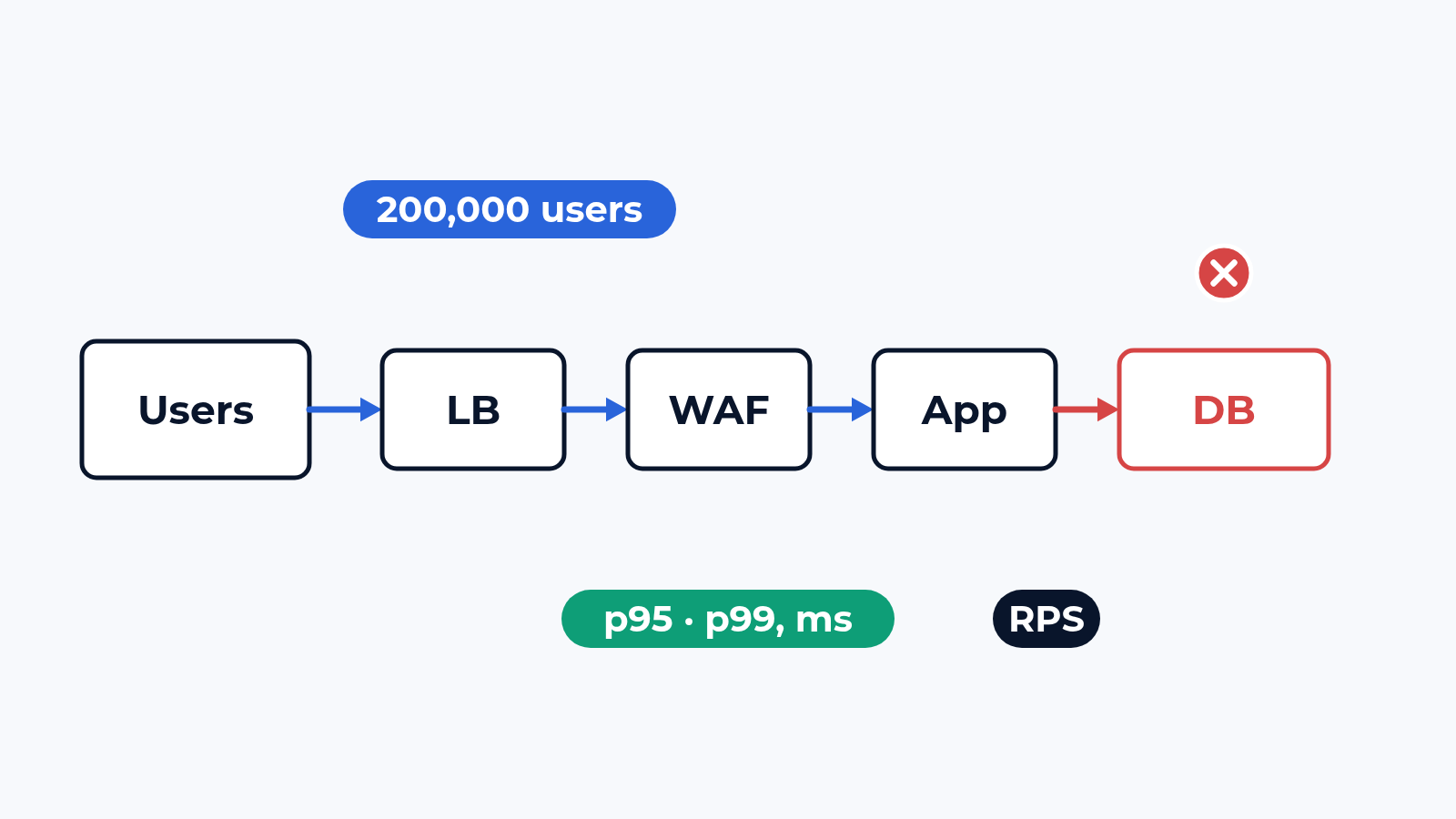
A load test of a portal often means one URL and one number: the home page answers, say, 8,000 requests per second, so the site is ready. Then at 9:00 a few thousand people log in, search and submit forms at once, and the login service runs out of database connections. The home page came from the cache all along. We load a portal the way its users work with it and look for the layer that gives up first.
The bench
The portal stays where it runs: your cloud tenant, your data centre or a staging copy on the bench hypervisor. The load comes from the L4-7 engines of the bench, commercial generators and the one we build ourselves, over a real cloud connection or a dedicated link. Each emulated user has its own test account, source address and TLS session, so caches, session stickiness and rate limits behave as they do with real people. Portals with the infrastructure in front of them are one of the classes on the cloud and NFV page.
The journeys come from your logs: login, search, an account page, a form, the API calls of the mobile app, with real pauses between clicks and a share of the mix for each. The counters of every layer are recorded during the run: load balancer, WAF, application, database, and the CDN if one sits in the path.
What we check
- Ramp-up: 1,000 to 200,000 concurrent users in steps, a hold at each, and the step where the portal leaves the agreed band
- Requests per second to the first error: HTTP 5xx, timeouts, refused connections, then the error rate at each step
- Response time per transaction: p50, p95 and p99 for login, search, the form and each API call
- Content checks: a 200 with an error page inside counts as a failure
- TLS: handshakes per second where TLS ends (load balancer, WAF or application) during a login rush
- The layer that saturates: connections on the load balancer, latency the WAF adds with the full rule set, application pools, database queries and locks
- Soak: 2 to 24 hours at a steady load, the last hour against the first
- Cloud against on-prem: how long autoscaling takes and what p99 does meanwhile, the same journeys on both, the cloud bill of the run
Pass criteria are agreed before the run. Ramp and soak follow the method of our load and performance tests, and a WAF or a load balancer can also be measured on its own as a device class.
What usually breaks
Most often the database. An example with round numbers: the application scales from 4 to 12 instances with a pool of 50 connections each, and the database accepts 300. At about 6,000 users the new instances wait for connections, p99 of the login grows from 0.8 to 9 seconds, and the CPU of the web tier stays green. More instances only ask for more connections.
Second: autoscaling that reacts late. A new instance comes after 5 minutes above 70% CPU and needs 3 more to warm up, while the morning rush lasts 10. For 8 of those minutes the portal runs on the capacity it had at 8:59.
Third: the path in front. Stickiness by source address sends a whole office behind one NAT to one server. The WAF adds 40 ms at p99 (an example) and runs out of CPU before the application. TLS ends on a load balancer sized for page views, and the morning login turns into a handshake storm. 3 machines sending load to one URL show none of this.
What is in the report
A table per load step: users, requests per second, p50, p95 and p99 per transaction, errors by type. The layer that saturated first, with its counters at that moment. TLS figures, the soak curve, the autoscaling timeline and the cost of a cloud run. The journeys and the generator settings are in the report, so the rerun after a fix is the same test.
Where to start
Send us the portal, the 3 to 5 journeys your business depends on and the load you expect at the busiest hour. We answer with a draft plan: the journeys, the load steps, how the bench is built and the dates. The report is yours to keep and to show to the developer or the hosting provider. Write to us or look at what else the bench does.

 Alexander Zemskov
4 min read
Alexander Zemskov
4 min read