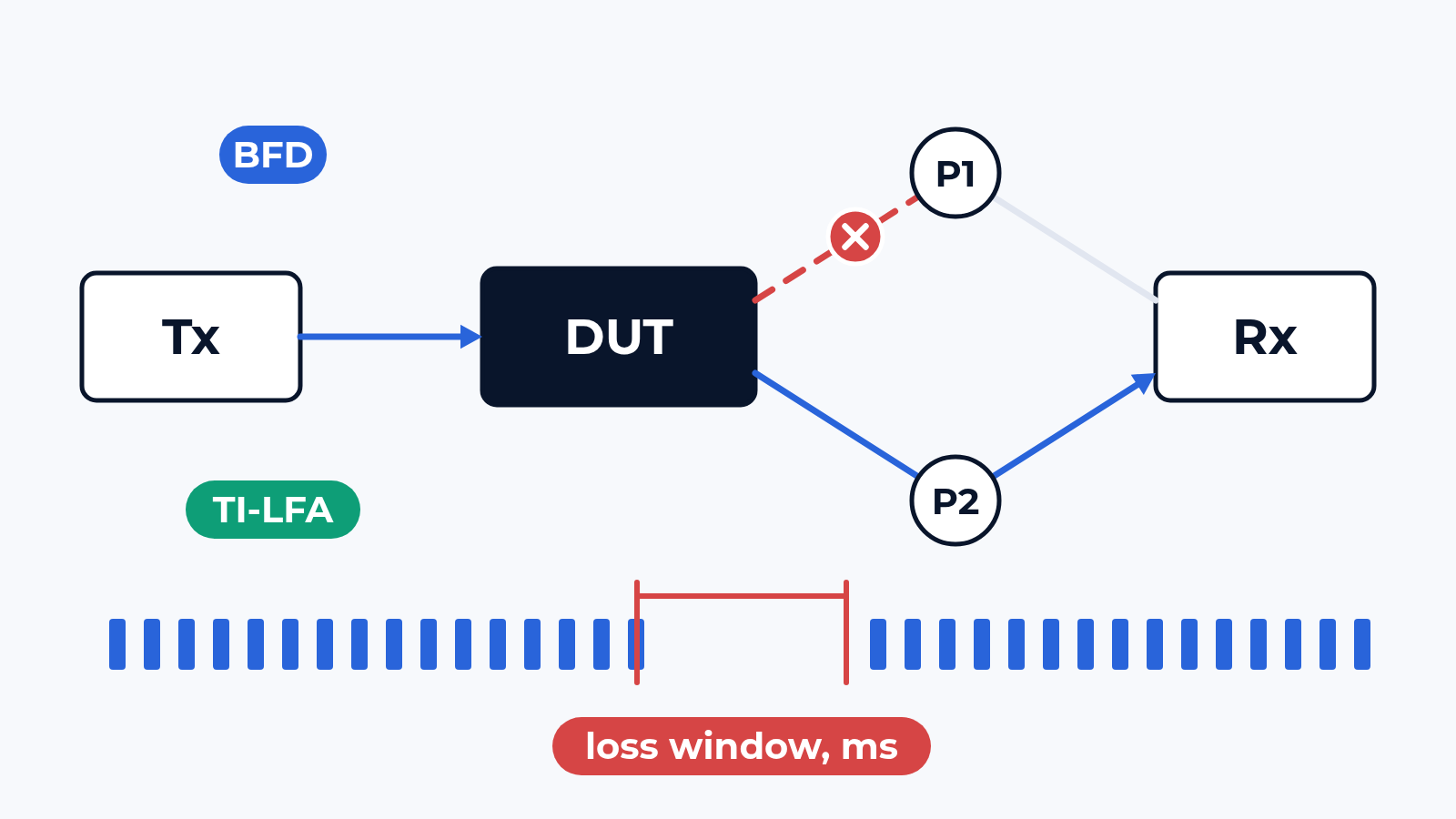
A vendor slide says "failover under 50 ms". The figure is usually taken on an idle box: one flow, two links, default timers. In production the same failure hits a router carrying 1M routes, a firewall pair holding millions of sessions, an ECMP group spreading thousands of flows, and each flow loses traffic for its own length of time. That loss window, per flow and in milliseconds, is what we measure.
The bench
The device under test sits in the CloudLAB rack on 1G, 10G or 100G ports (400G and faster per project): a router pair or a leaf-spine pod or a firewall cluster. The generator emulates everything around it: hundreds of BGP, OSPF and IS-IS neighbours with up to 1M routes, users and servers with 2 to 20 million sessions through a firewall pair. Each flow carries sequence numbers and timestamps, so the generator sees the last packet before the failure and the first one after it. At a constant rate, lost frames divided by the rate give the outage in ms.
Failures happen on purpose, at a known moment: a port shut or a fibre pulled, a neighbour stopped on the emulated side, a node powered off, a supervisor switchover, the active HA member failed. Timers, BFD, ECMP hashing, LFA and session sync come from your config export.
What we check
- Link failure: one link down with the full table loaded and traffic on every port; the gap for each flow, worst and median, then again on failback when the link returns
- Node and peer loss: a router, a spine or a BGP neighbour gone; time until forwarding resumes, with BFD on and off, at your timers
- Link flap: a port bounced every few seconds; convergence per event, CPU, route churn, dampening
- BFD at scale: your interval and multiplier on 10 sessions and on hundreds, while the control plane is busy installing routes
- LFA and TI-LFA: protected prefixes read from the box, then the real outage on covered and uncovered prefixes after the same cut
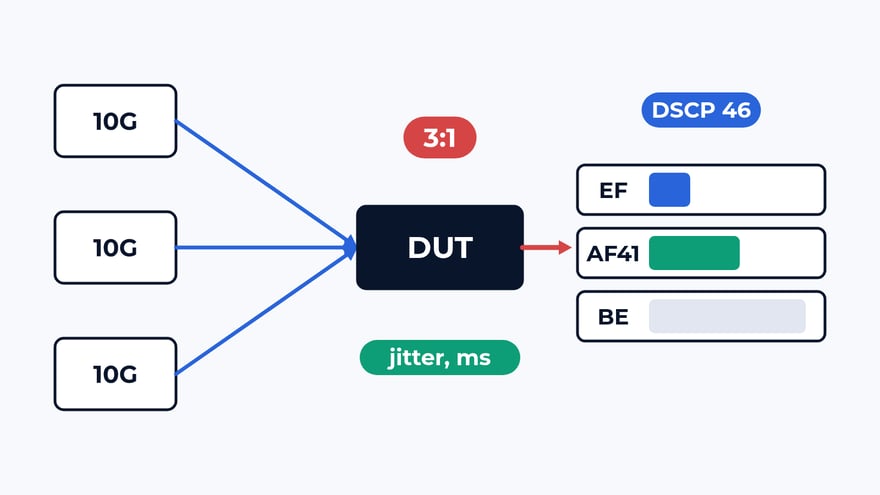
- ECMP rehash: one group member lost; loss and reordering on its own flows and on flows that never touched it
- Stateful failover: the active firewall fails with millions of sessions in flight; seconds until traffic flows, sessions kept, sessions that had to reconnect
RFC 2544 covers a part of this with its system recovery and reset tests, and we run them when a tender asks. The rest of the list gets pass criteria from your design, written before the run.
What usually breaks
Timers. A typical acceptance: a core pair, 1M BGP routes, a design target of 500 ms. A link failure stops traffic for 1.9 s. The log shows BFD left off on one peer group and default hold timers on the other. With BFD tuned and prefix-independent convergence switched on, the rerun gives 180 ms. The datasheet number was true for the chip and said nothing about the config.
Averages. LFA protects most prefixes in a ring or a partial mesh and leaves some without a loop-free backup. The median flow recovers in tens of milliseconds, the worst one waits for full convergence. ECMP has its own version: a group loses 1 link of 4, the hash is recomputed, and flows on the 3 healthy links get reordered too. A per-flow table shows both cases; a single convergence figure hides them.
Sessions. An HA pair syncs its session table, and the slide promises under 1 s. In one typical run with 1 million sessions the switchover took 1.8 s, and 0.7 s after the vendor's fix. Another pattern: sessions opened in the last moments before the failure have not reached the standby yet, and they reset. On an idle pair neither shows up.
What is in the report
A table per failure type: event, affected flows or prefixes, outage for the worst and the median flow, failback, and the pass band from your design next to the measured value. For each HA failover: seconds until traffic flows, sessions kept, sessions reset. LFA coverage per prefix. The config export and the settings of the emulated neighbours, so the vendor can repeat any item.
Where to start
Send us the device models, the firmware you plan to run and the failures that worry you most. We answer with a draft test plan: the items, the bench layout and the dates. The report is yours to keep and to show to the vendor. Write to us or look at what else the bench does.
 Alexander Zemskov
4 min read
Alexander Zemskov
4 min read
 Alexander Zemskov
4 min read
Alexander Zemskov
4 min read