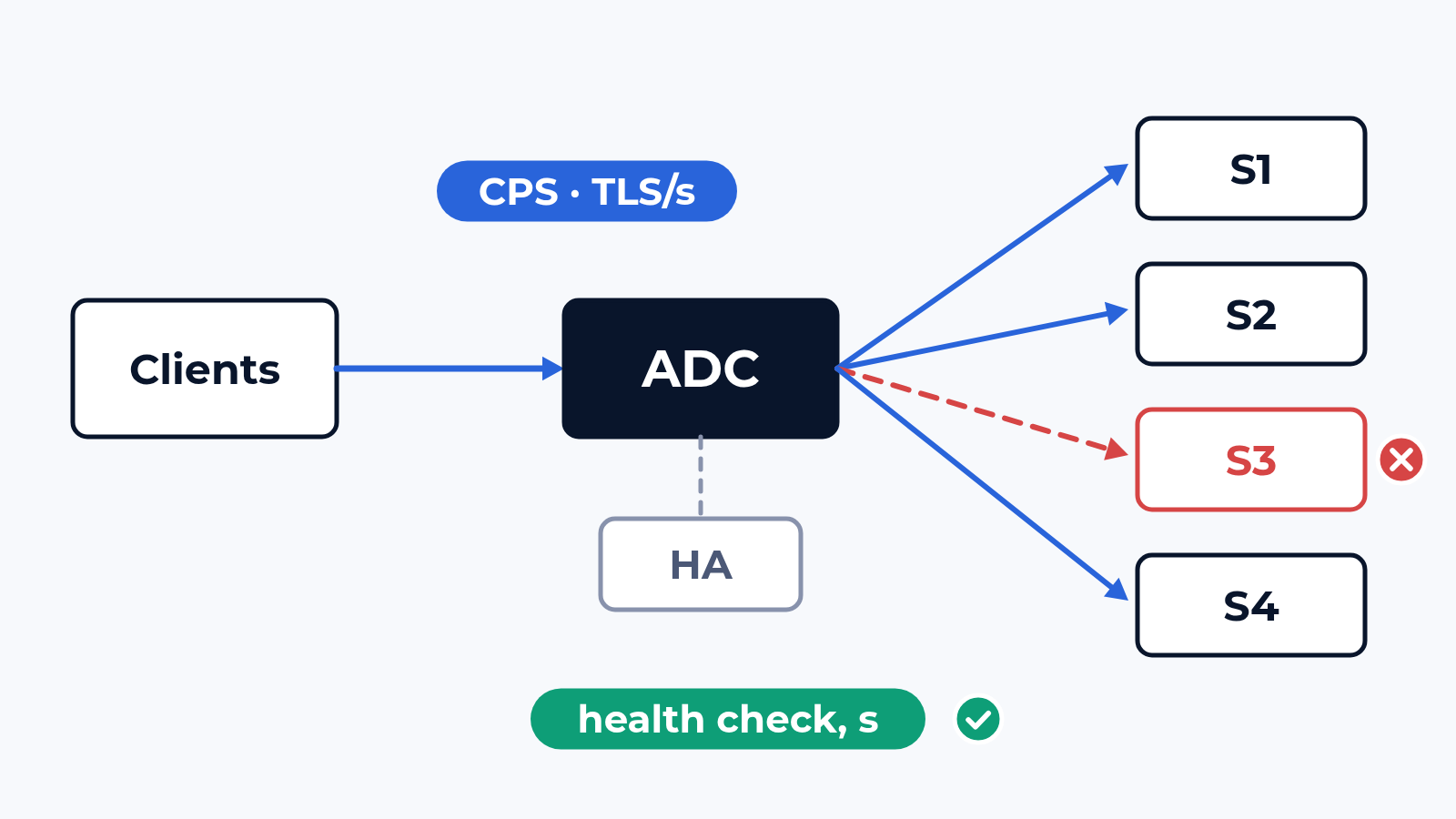
A load balancer datasheet gives two big numbers: L4 connections per second and L7 requests per second. They are usually taken with small objects, no TLS, no persistence and every feature off. In production the same ADC ends TLS, pins users to servers by cookie, rewrites headers, compresses, runs a WAF policy and health-checks the farm. Then one server hangs at 11:00. We measure the box with that configuration and count the users who notice the hang.
The bench
A hardware ADC goes onto the CloudLAB bench; a virtual one runs as an image on the lab hypervisor or in your cloud tenant. On the client side the generator emulates users, each with its own source address, TCP and TLS sessions, cookies and keep-alive, over HTTP/1.1 and HTTP/2. On the server side it emulates the farm: as many servers as your pool has, each with the same content, a fixed answer time and its own counters. Any server can be slowed down, made to return errors or stopped at a known second.
Object sizes (1 KB to 512 KB) and the request mix come from your logs or the app-mix library of our traffic generator; pools, persistence, rewrite rules, the TLS profile and the WAF policy come from your configuration export. Stateful load reaches 200 Gbit/s and more on 1G to 100G ports.
What we check
- L4 capacity: new connections per second and concurrent connections, in steps up to the first refused connection, with CPU and memory of the box at each step
- TLS termination: handshakes per second with your certificate and cipher list, full and resumed, plus re-encryption toward the servers if you run it
- L7 rate: HTTP requests per second with persistence, header rewrite and your rules on, keep-alive and HTTP/2 as clients really use them
- Distribution: requests and connections per server under the chosen algorithm, and where persistence piles users onto one member
- Health checks: a server hangs, answers 500 or goes dark at a known second; time until the pool marks it down, requests failed meanwhile, users who were pinned to it
- HA pair: the active unit fails at peak; time to take over, connections that survive, persistence records and TLS sessions that do not
- Per-feature cost: WAF, compression, caching and content rules switched on one at a time, each step in requests per second and in p99 latency
Cipher by cipher figures follow the method of our TLS and HTTPS tests; here they are one line among seven. Steps follow our load and performance tests: 1,000 connections per second each, 5 minutes per step, up to the first error.
What usually breaks
A health check that sees only the port. In a typical project the pool checks TCP port 443 every 5 seconds. A server whose application hangs still accepts the connection, so it stays in the pool. With 4 servers and cookie persistence, a quarter of the users keep landing on it and wait for a timeout on every click until someone restarts the application. An HTTP check of a status page with a content match takes the server out in 15 seconds (3 failed checks 5 seconds apart, example values). The port check passed acceptance because acceptance only pulled a cable.
The feature bill. A typical ADC holds its L7 rate with plain rules and loses about half of it when the WAF policy and compression go on together (example figures). Compression costs CPU on text pages and almost nothing on images, so the result depends on your mix, and a test with the vendor's mix answers a different question. The box is sized from the line with every feature you plan to switch on.
The minute after failover. The standby takes over in about a second, and connections with session sync survive. The TLS session cache and the persistence table are often left unsynced. Every client does a full handshake at once, the new active unit is sized for resumptions, and p99 stays above target for 20 seconds (an example). Users lose their server, and with it their session wherever the application keeps state in memory. The datasheet failover time covers the first second; we record the next 60.
What is in the report
Tables per load step: connections and handshakes per second, concurrent connections, requests per second with p50 and p99, per feature set. Requests per server, so the spread of the algorithm is visible. A timeline for every server failure and every failover: the second it happened, the second the ADC reacted, failed requests and affected users in between. The configuration export, the traffic profile and the generator settings, so the same run repeats on the next firmware or on a competing ADC.
Where to start
Send us the model or the image, the configuration export and the traffic of your busiest hour. We answer with a draft test plan: the items, the bench layout and the dates. The report is yours to keep and to show to the vendor. Write to us or look at what else the bench does.
 Alexander Zemskov
5 min read
Alexander Zemskov
5 min read
 Alexander Zemskov
5 min read
Alexander Zemskov
5 min read