The datasheet of a switch, router or firewall gives two power figures: "typical" and "maximum". Neither says at what load, with which optics or at what inlet temperature. The rack has a fixed budget in kilowatts, and the tender asks for watts per Gbps. When it is in the scope of a load test project, we measure the draw of the device on our bench: watts at idle and at 30%, 70% and 100% load with your traffic profile.
The bench
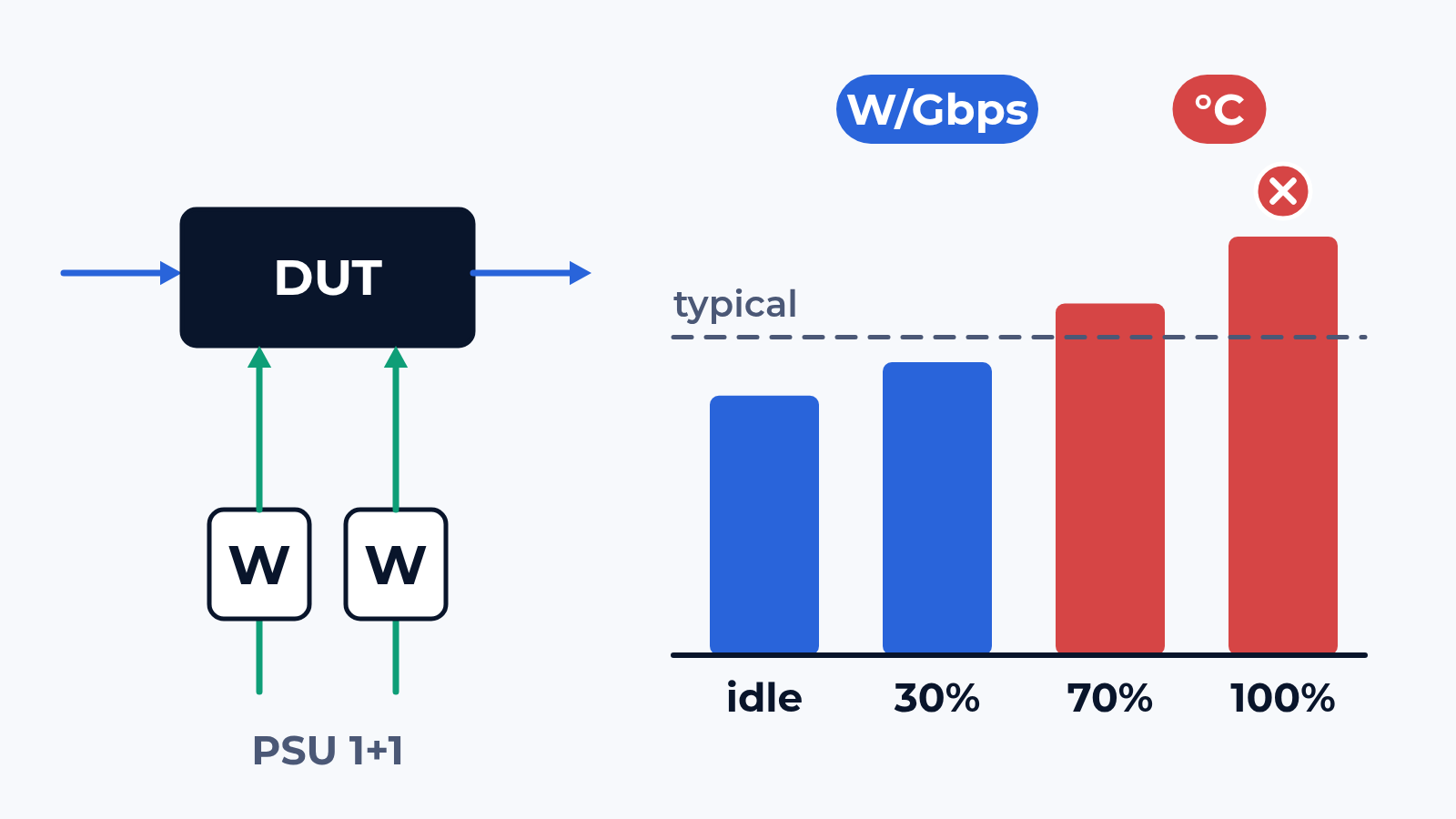
The device goes onto the CloudLAB bench with your optics and your configuration, its ports cabled to the generator at 1G, 10G or 100G (400G and faster per project). An inline meter sits on each power feed, so a box with 2 power supplies is read per supply and in sum. Next to the meter we log what the device reports about itself: input power per PSU, fan speed, inlet and chip temperatures. Both go onto one timeline with the traffic counters.
The load comes in steps: idle with all links up, then 30%, 70% and 100% of line rate on every port, each step held until the temperatures stop climbing. The traffic profile is yours, from a NetFlow export or a capture; without one we use an IMIX. Throughput, the denominator of watts per Gbps, comes from an RFC 2544 run on the same traffic; forwarding itself is covered in how we test Ethernet switches. The result is the draw of your device on your traffic, on one bench, so a shortlist compares like for like; energy certification and compliance statements are outside our scope.
What we check
- Draw per load step: idle, 30%, 70% and 100%, per feed and in total, averaged over the stable part of each step
- Watts per Gbps and per port: only traffic forwarded without loss counts, so a box that drops frames at full load does not look efficient
- Without traffic: links up, ports admin-down, empty cages with and without optics, EEE on and off and the latency it adds when traffic wakes the link
- Optics: the same port set on DAC, short-reach and long-reach modules, and what each type adds per port
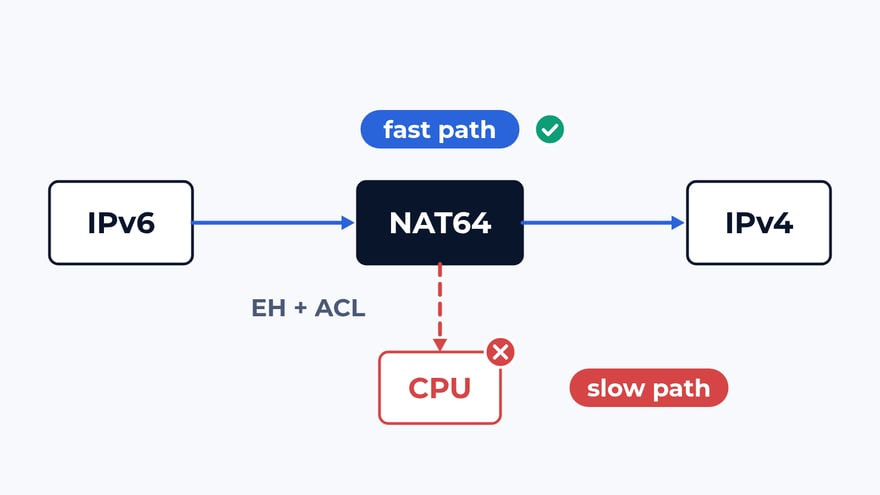
- Features: ACLs, QoS, tunnels, on a firewall the inspection profiles; the change in draw and in throughput, so the cost of a feature shows in W/Gbps
- Fans and temperature: speed and sensors at each step and over a several-hour soak at 100%, the step where fans hit maximum, any throttling
- Power supplies: the split between 2 PSUs, one feed removed under traffic, the draw on the surviving supply against its rating, frames lost during the switchover
- Telemetry against the meter: the gap between what the device reports and what the feed carries, per step
What usually breaks
The datasheet figure. In a typical project a leaf switch lists 300 W typical. On the bench it draws 285 W at idle with optics in every port, 340 W at 70% and 395 W at 100%. The datasheet number matches the same box with half the cages empty. For a rack of 10 such switches the planning error is close to 1 kW.
The device's own reading. Telemetry reports 250 W while the meters on the feeds show 295 W: the box reports power at the PSU output, or for one supply only. Capacity planning built on SNMP polls then misses 15% of the load.
Features. A firewall forwards at 6 W per Gbps with plain rules. With the inspection profile on, throughput falls to a third, the draw barely moves, and the figure climbs to 18 W per Gbps.
Heat. Over 4 hours at 100%, the fans step up twice and add 40 W. In one candidate of a typical shortlist the chip reaches its throttle point in the third hour and throughput drops by 8%. A 60-second trial shows neither.
What is in the report
Watts per feed and in total for each load step, next to the datasheet figures. Watts per Gbps and per port on traffic forwarded without loss. The delta for each feature and each optic type. Fan speed and temperature over the soak, with the moment of any throttling. PSU failover with the draw on the surviving supply. Telemetry against the meter, to correct your monitoring. Configuration and raw logs of meter, device and generator are attached. With your tariff we add the energy cost per year at your expected load; for a shortlist all candidates go into one table.
Where to start
Send us the models, the optics, the traffic profile and the power budget of the rack they go into. We answer with a draft test plan: the items, the bench layout and the dates. The report is yours to keep and to show to the vendor. Write to us or look at what else the bench does.
 Alexander Zemskov
5 min read
Alexander Zemskov
5 min read
 Alexander Zemskov
5 min read
Alexander Zemskov
5 min read